Boost your efficiency with
AI for engineering consultanciesOver the past few years we built a solid foundation: project follow-up, site reports, documents, supporting documents, client portal and finance.
Now we are taking the next step. AI that lives inside your project file — not next to it.

Trusted by 40+ leading engineering consultancies
Join the engineering and advisory firms that run their projects on Toolmaster.



An architect sends a site report. PDF attached, dozens of pages, contacts, planning, remarks, open points.
Normally: open it, read it, look up the project, copy over the contacts, update the data, note the todos, link the mail.
Every step small on its own — together the biggest time sink of your week. Discover how Tim does this for you:
Tim does more than just process site reports
Site reports are often the starting point — but not the only thing landing in your inbox and your files. Tim works inside your ERP on everything that revolves around your project administration: mails, documents, planning, remarks and follow-up actions. One virtual colleague, several flows — carrying things out always with your approval, the real AI for engineering consultancies.
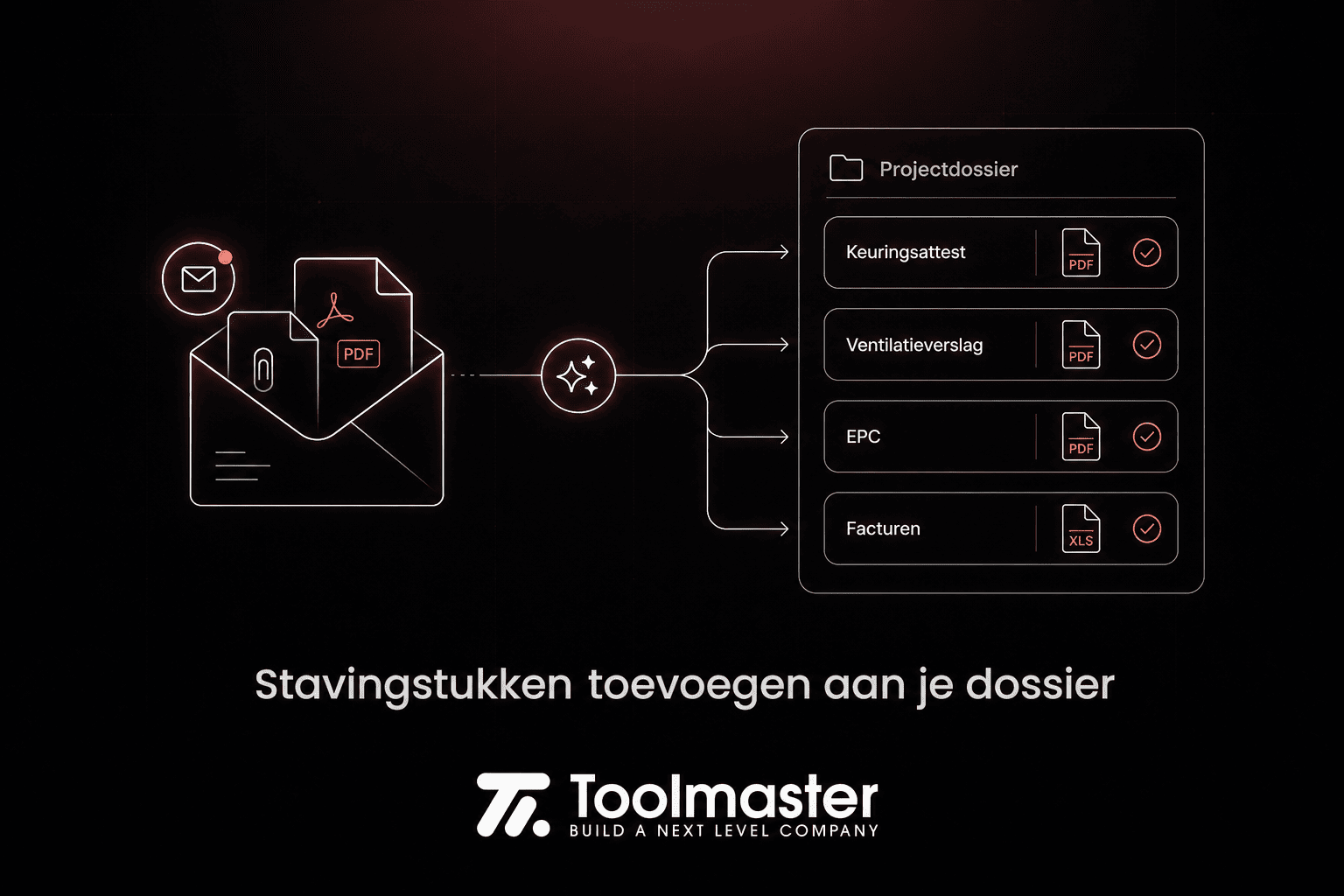
Adding supporting documents to your file.
Documents that come in by mail are recognised and filed under the right request labels in your project. Less manual downloading, renaming and uploading — your overview stays up to date and reminders run automatically.
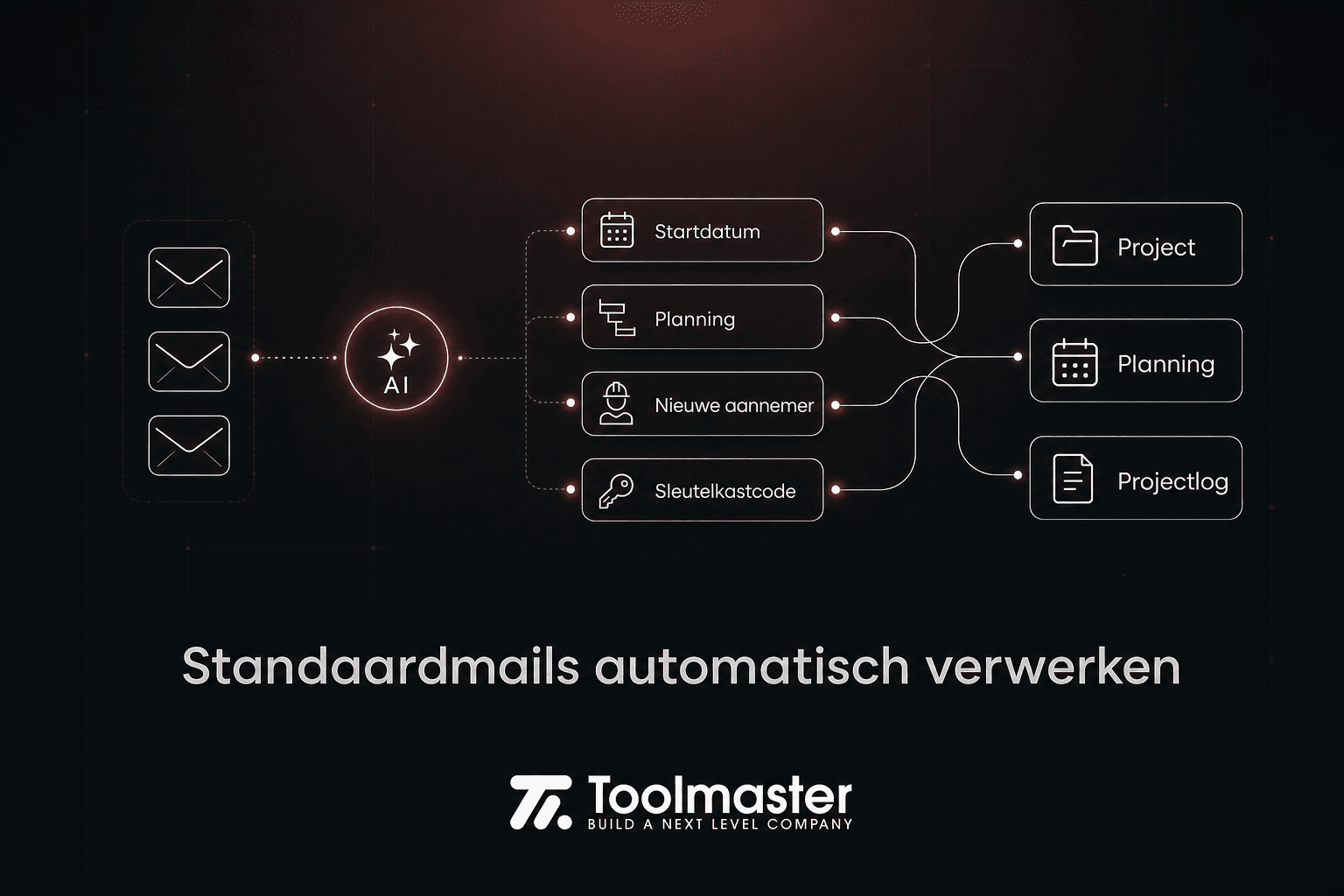
Processing standard mails automatically.
Start dates, planning updates, new contractors or practical info such as a key safe code? Tim pulls out the relevant info and updates your project, planning and project log. Fewer mails to open and copy-paste — more time at the office.

Todos and project log.
Advisory reports, certificates or follow-up actions inside communication are recognised and proposed as a todo or a log note — only for services that were actually ordered from you. No more missing things that sit somewhere in an attachment.
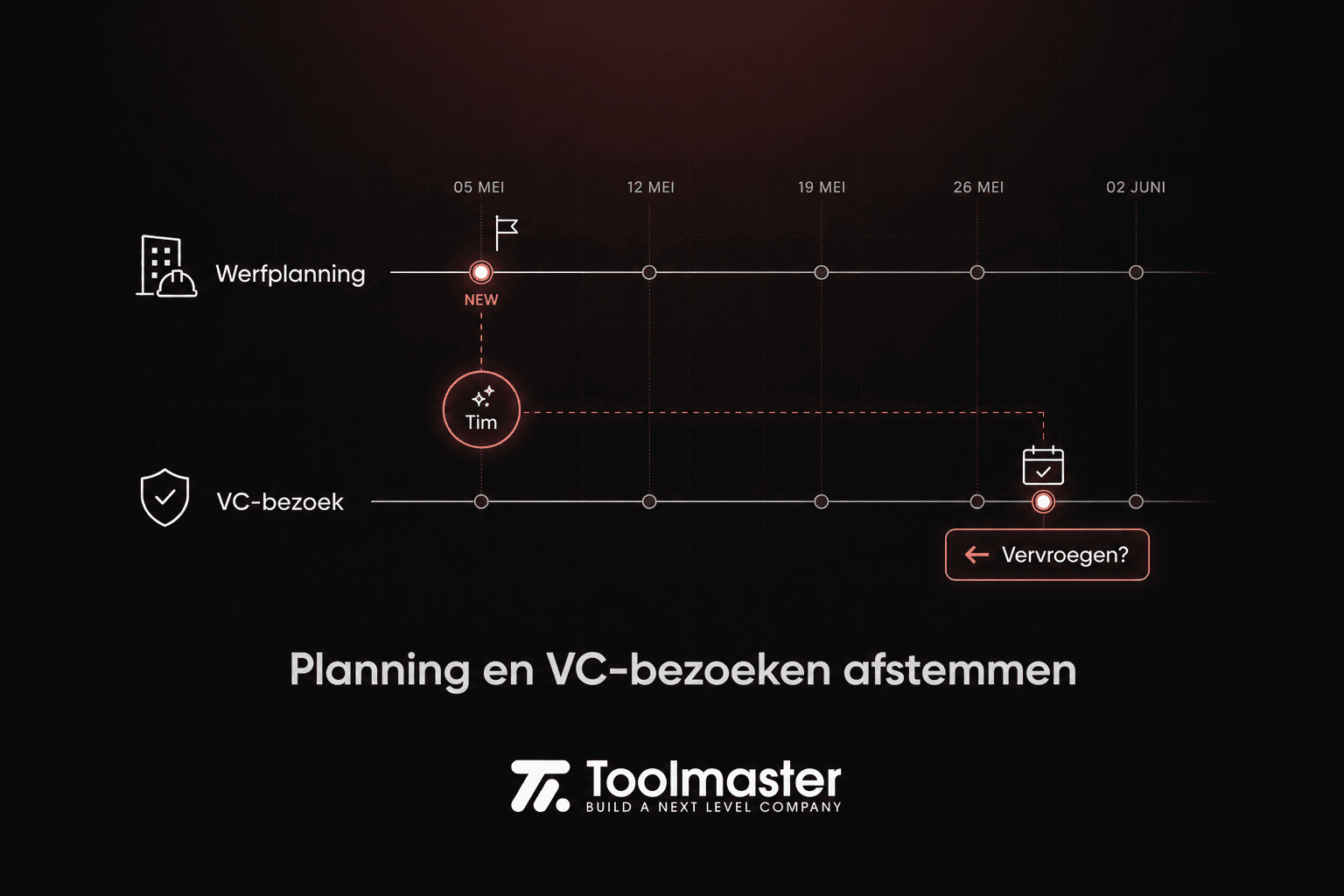
Aligning planning and safety coordination visits.
When the architect plans a new phase, Tim checks it against your safety coordination planning and proposes an adjustment if your visit sits too far in the future. Less risk that your planning runs behind the work on site.
AI for engineering consultancies
Want to see how AI works in practice in an engineering consultancy? Below you get access to the full recording and the highlights.
Discover everything Tim can do
Each task on its own looks small. Together they eat hours every week. Tim works inside your ERP, knows your project context and proposes actions that you approve. No copy-paste, no digging through folders — but the same quality, in a fraction of the time.
Processing architect site reports
Tim recognises the report, links it to the right project and proposes contacts, planning, todos and Building Passport updates. No more reading through it by hand for contractors, dates or open actions — you approve, the rest runs automatically.
See this in our lunch and learn
Processing standard mails
Start dates, planning updates, new contractors or practical info such as a key safe code? Tim pulls out the relevant info and updates your project, planning and project log. Fewer mails to open and copy-paste — more time at the office.
Completing safety remarks
On site you jot down short notes with your photos — with typos or half sentences. The photo-first app and AI remarks work those up into full, professional remarks in your report. No more hours spent rewriting notes at the office afterwards.
See this in our lunch and learn
Completing the Building Passport
Start and end date, contractors, critical phases and other project data are pulled out of documents and mails and stored in a structured way. Your file gets smarter as more comes in — without filling in everything yourself.
See this in our lunch and learn
Aligning planning and safety
When the architect plans a new phase, Tim checks it against your safety coordination planning and proposes an adjustment if your visit sits too far in the future. Less risk that your planning runs behind the work on site.
See this in our lunch and learn
Creating todos and project log notes
Advisory reports, certificates or follow-up actions inside communication are recognised and proposed as a todo or a log note — only for services that were actually ordered from you. No more missing things that sit somewhere in an attachment.
Adding supporting documents by mail
Documents that come in by mail are recognised and filed under the right request labels in your project. Less manual downloading, renaming and uploading — your overview stays up to date and reminders run automatically.
See this in our lunch and learn
Preparing quotes from mails
Building permits, plans and mail info are analysed and matched to your price agreements and templates. Contacts, project and quote are prepared — what still takes ten minutes today should soon take a fraction of that.
See this in our lunch and learn
And more…
Plenty of extra functionality such as drawing up route planning automatically, processing supporting documents, preparing invoices and preparing VGPs, PIDs and more is on the way.
Get in touch with usAI for engineering consultancies
Want to see how AI works in practice in an engineering consultancy? Below you get access to the full recording and the highlights.